How to Manually Unsubscribe a Contact from Emails in Evolved Office
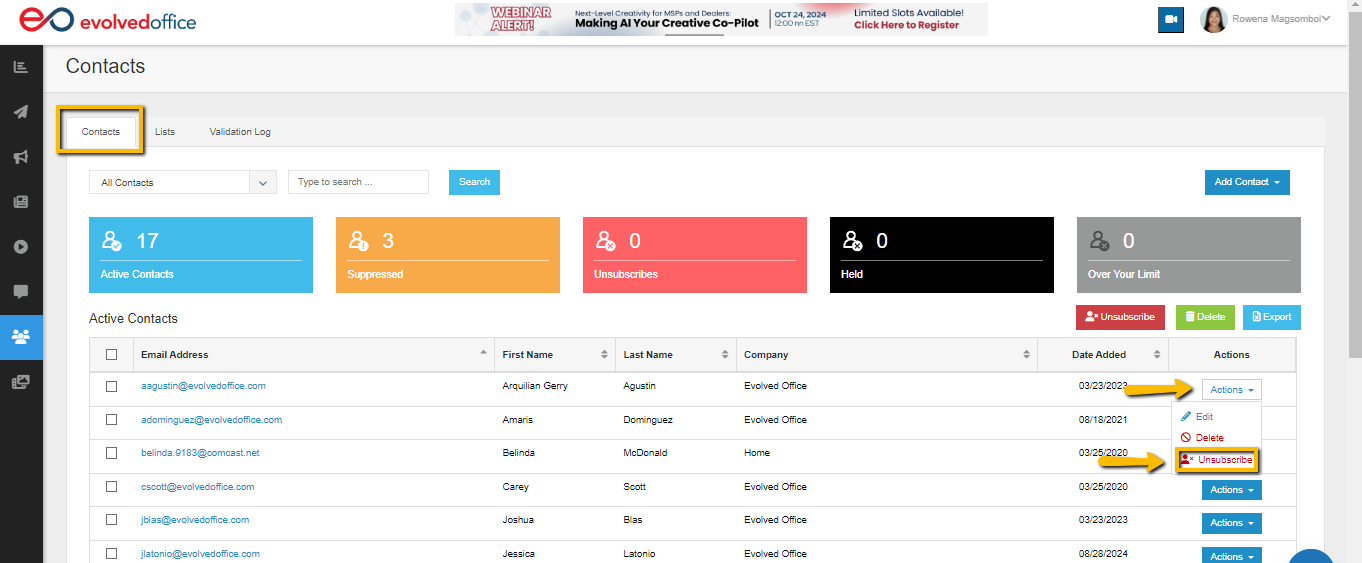
From the Contacts tab, use the dropdown menu under ‘Actions’ to the far right of the contact to select ‘Unsubscribe’.

From the Contacts tab, use the dropdown menu under ‘Actions’ to the far right of the contact to select ‘Unsubscribe’.