How to Export a Contact List in Evolved Office (Download as CSV)
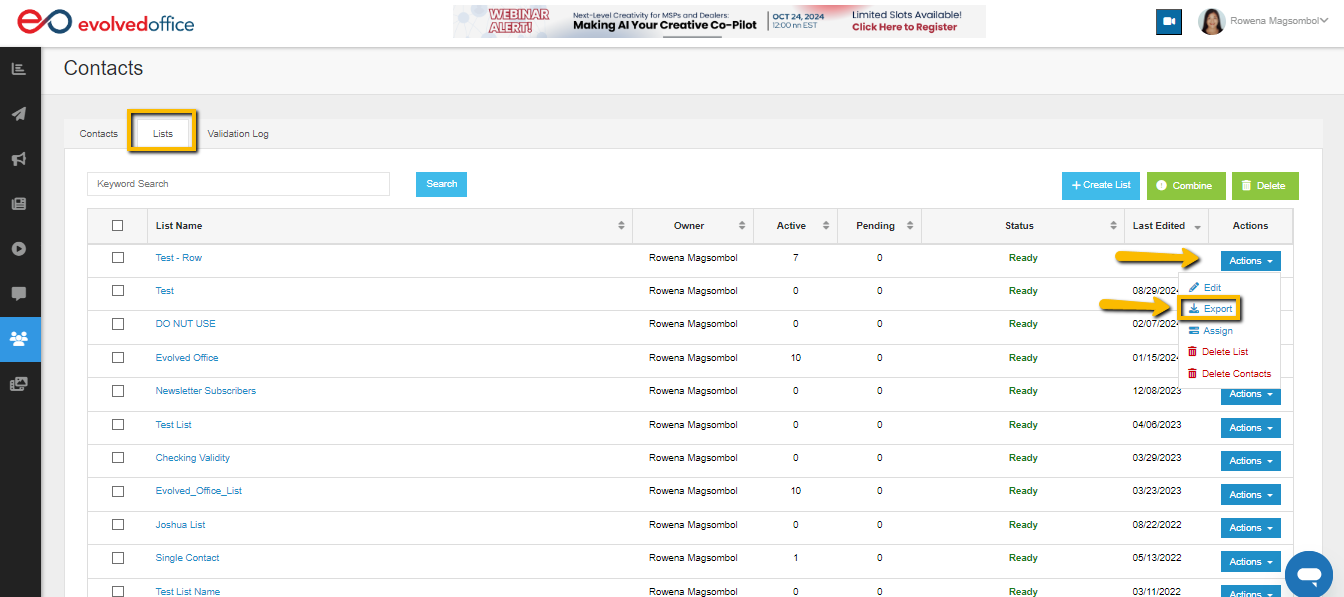
- Go to the Contacts tab, and then to the ‘Links’ sub-tab.
- On this sub-tab, use the dropdown menu under ‘Actions’ to the far right of the contact to select ‘Export’ to download a copy of the list.