How to Remove a Contact from a Contact List in Evolved Office (Manage Subscriptions)
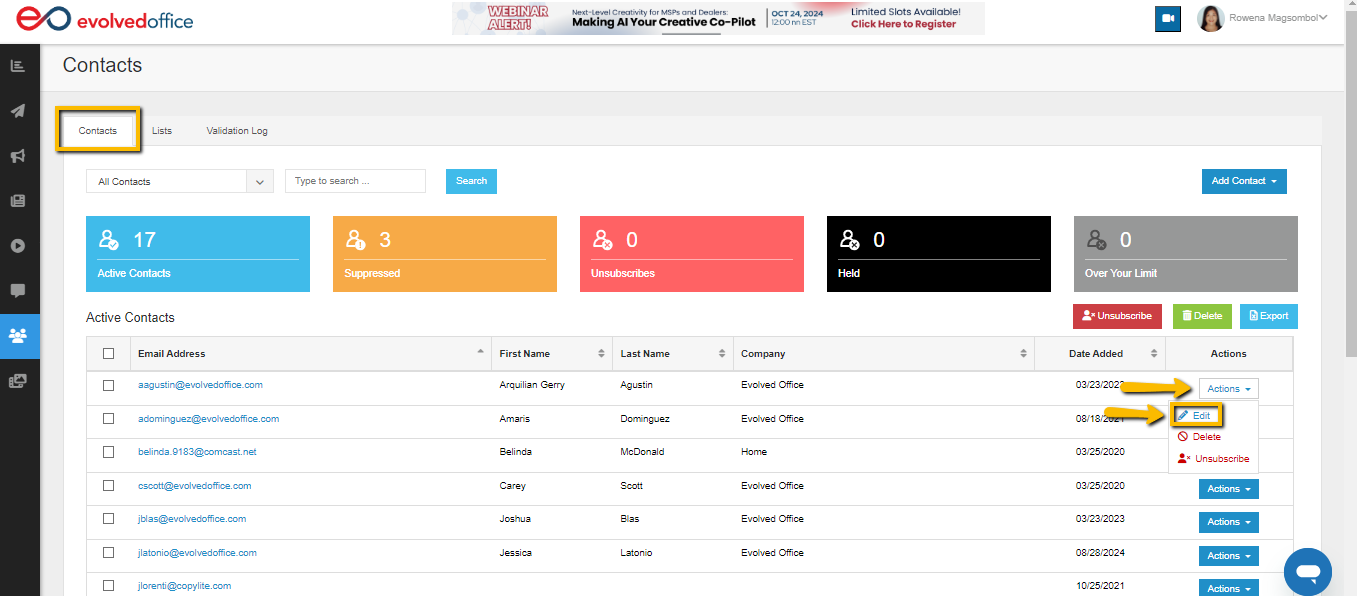
- From the Contacts tab, use the dropdown menu under ‘Actions’ to the far right of the contact to select ‘Edit’.
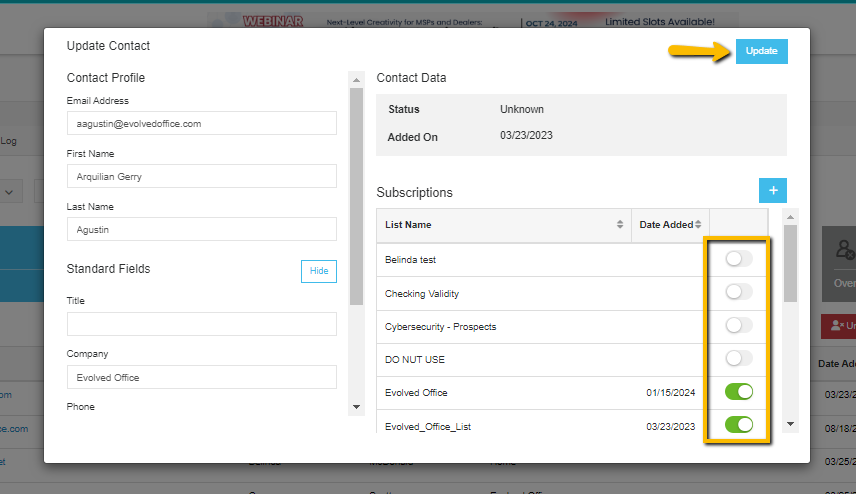
- Use the toggle switches under ‘Subscriptions’ to change which lists they are included in.
- Click the ‘Update’ button at the top right when finished to save your edits.